
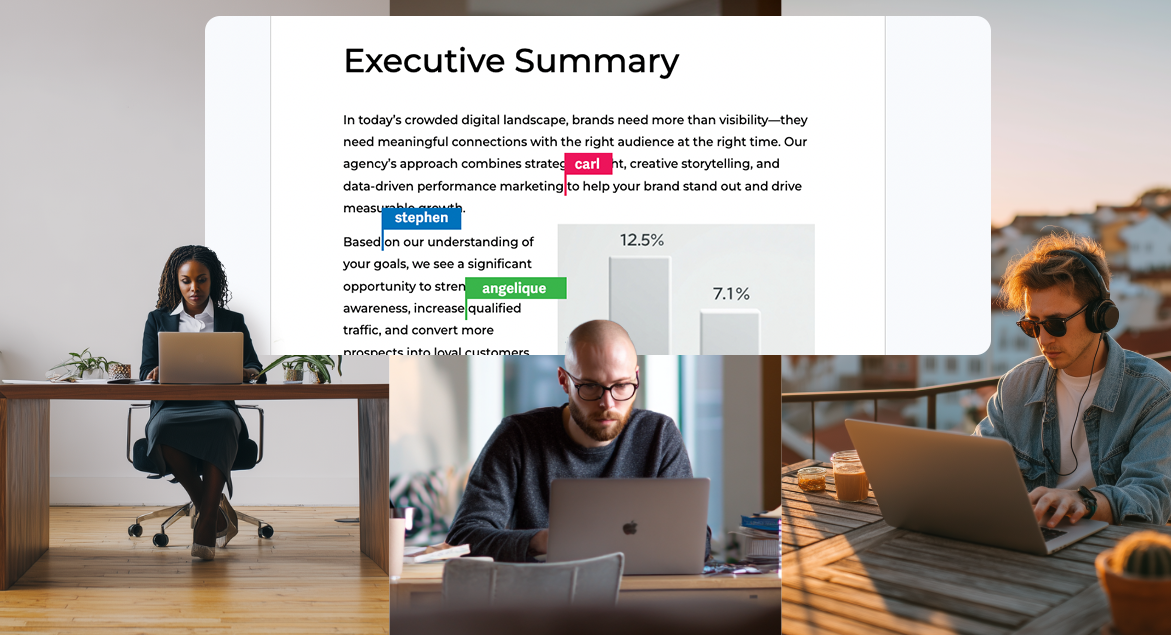
Freelancing offers extraordinary flexibility and autonomy, but it also introduces coordination challenges that traditional employment structures handle through proximity and shared systems. When you’re working remotely with clients across time zones, managing multiple projects simultaneously, and collaborating with other freelancers you’ve never met in person, the right tools become essential infrastructure rather than optional conveniences. Document collaboration tools, in particular, have evolved from nice-to-have productivity boosters to fundamental requirements for freelancers who want to work efficiently, maintain professional standards, and scale their businesses beyond what solo effort can achieve.
The shift towards remote work has accelerated dramatically, making the challenges that freelancers have always faced suddenly relevant to traditional businesses as well. This convergence has driven rapid innovation in collaboration technology whilst proving that the working methods freelancers pioneered can scale to enterprise levels when supported by appropriate tools.
The Fundamental Problem: Version Control Chaos
Anyone who’s freelanced for more than a month has experienced the version control nightmare. You send a proposal to a client. They download it, make edits, and email it back with “FINAL” in the filename. You incorporate their changes and send “FINAL v2.” Meanwhile, they’ve sent additional comments on the original, creating “FINAL revised.” You merge those into “FINAL v3 UPDATED.” Before long, you’re drowning in files with names like “Proposal FINAL FINAL revised 2 AB comments integrated ACTUALLY FINAL.docx” whilst nobody’s entirely certain which version contains which changes.
This chaos wastes extraordinary amounts of time. Freelancers spend hours reconciling different versions, reincorporating comments that got lost between iterations, and clarifying with clients which version represents their current thinking. The cognitive load of tracking multiple document versions across multiple projects compounds quickly, creating mistakes where you accidentally work on outdated versions or lose client feedback entirely.
A proper document collaboration tool eliminates this problem entirely by maintaining a single source of truth. Everyone works on the same document simultaneously or asynchronously, changes appear in real-time or get tracked clearly, and the version history provides a complete audit trail showing exactly who changed what and when. The relief from version control anxiety alone justifies adoption.
Real-Time Collaboration Accelerates Project Velocity
Traditional document workflows involve sequential handoffs. You create a draft, send it to the client, wait for their review, receive comments, make revisions, send it back, and repeat. Each handoff introduces delay as documents sit in inboxes awaiting review. For time-sensitive projects or clients in different time zones, these delays can stretch simple revisions across days or weeks.
Real-time collaboration collapses this timeline dramatically. You can work on a document whilst the client simultaneously reviews other sections, leaving comments and suggestions that you see immediately. Questions get resolved in minutes rather than days. Revisions happen continuously rather than in discrete rounds. What would traditionally require three rounds of revisions over a week might be completed in a single afternoon of collaborative editing.
This velocity provides a competitive advantage. Freelancers who can iterate faster deliver better results in less time, making themselves more valuable than competitors using slower workflows. The ability to offer a same-day turnaround on revisions or to incorporate feedback rapidly differentiates you in markets where responsiveness matters.
Transparency Builds Client Trust
Clients hiring freelancers often worry whether the work is actually progressing or if the freelancer is ignoring their project in favour of other commitments. This anxiety stems from the opacity of traditional workflows, in which clients send assignments and then hear nothing until the freelancer delivers the completed work.
Collaboration tools provide transparency, alleviating this concern. Clients can see work in progress, review drafts at any stage, and verify that progress is actually being made. This visibility builds trust far more effectively than status update emails, as clients can observe progress directly rather than simply being told about it.
The transparency benefits freelancers as well. When clients can see you actively working on their projects, making steady progress, and incorporating their feedback promptly, they develop confidence in your professionalism and reliability. This confidence translates into repeat business, referrals, and willingness to provide positive testimonials.
Asynchronous Work Across Time Zones
Freelancing increasingly involves collaborating with clients and team members across multiple time zones. Traditional synchronous collaboration, which requires everyone to be online simultaneously, is impractical when your client is in Singapore and your designer is in San Francisco.
Document collaboration tools excel at asynchronous work patterns. You make progress on a document during your working hours. Your client reviews and comments during theirs. Your designer incorporates visual elements during their evening, which is your morning. The work continues to progress even though no one is working simultaneously.
Comment threads maintain context across these asynchronous interactions. Rather than trying to explain feedback through email chains that get confusing and disorganised, clients leave comments directly on relevant document sections. You respond to specific comments, resolve issues, and mark items as complete. The entire conversation remains attached to the document rather than scattered across email threads.
Professional Presentation and Client Experience
The tools you use signal professionalism as much as the work itself. Sending clients Google Docs links or sharing Notion pages conveys very different impressions than attaching Word documents to emails or worse, asking clients to download files from consumer file-sharing services.
Modern document collaboration tools provide clean, professional interfaces that reflect well on your business. Branded workspaces, customised permissions, and polished presentation make you appear more established and professional than ad hoc tool usage suggests. For freelancers competing against agencies or seeking to work with enterprise clients with high standards for vendor professionalism, these presentation details matter.
The client experience extends beyond aesthetics to functionality. Tools that clients find intuitive and pleasant to use reduce friction in the collaboration process. Clients who enjoy working with you, partly because the tools facilitate rather than frustrate collaboration, hire you for additional projects and recommend you to others.
Security and Confidentiality
Freelancers often handle confidential client information, including proprietary business strategies, unpublished product plans, financial data, or personally identifiable information. Protecting this information isn’t optional; it’s both an ethical obligation and a legal requirement under various data protection regulations.
Email attachments and consumer file-sharing services provide minimal security. Once you’ve sent a file via email, you’ve lost control over where it goes, who accesses it, and how long it persists. Files stored on personal Dropbox or Google Drive accounts may not meet enterprise security requirements.
Professional document collaboration tools offer granular permission controls, access logging, encryption in transit and at rest, and compliance with industry security standards. You can share specific documents with specific people, revoke access when projects are complete, and maintain audit trails proving appropriate information handling. For freelancers working with regulated industries or security-conscious clients, these capabilities aren’t luxuries but requirements for being considered for work.
Scalability Beyond Solo Work
Successful freelancers often evolve into small agencies, taking on more work than they can handle individually and subcontracting specialists for capabilities they don’t personally possess. This transition from solo practitioner to team coordinator requires infrastructure that supports collaboration, not just with clients but with other freelancers.
Document collaboration becomes even more critical when coordinating multiple contributors. You need the copywriter, designer, and strategist all working on the same proposal, seeing each other’s contributions, and maintaining consistency. Without proper tools, coordinating multi-contributor projects becomes a logistics nightmare of forwarding files, merging contributions, and praying nothing gets lost.
Tools that handle this complexity allow freelancers to scale their businesses beyond personal capacity constraints. You can take on larger projects, offer more comprehensive services, and generate more revenue by building effective virtual teams rather than remaining limited to what you personally can deliver.
Integration with Broader Workflows
Document collaboration rarely exists in isolation. Documents connect to project management systems to track deadlines and deliverables. They reference files stored in cloud storage. They inform invoicing and time tracking. The best collaboration tools integrate with other systems freelancers use, creating coherent workflows rather than disconnected tool collections.
These integrations reduce administrative overhead. When your document collaboration tool connects to your project management system, completed documents automatically update project status. When it integrates with your client relationship management system, proposals and contracts are associated with the appropriate client records. The time saved on administrative coordination over dozens or hundreds of projects annually proves substantial.

Making the Right Choice
Selecting appropriate collaboration tools requires evaluating your specific needs, client preferences, and budget constraints. Different tools serve different purposes: Google Workspace for broad compatibility and simplicity, Microsoft 365 for enterprise client expectations, Notion for flexible organisation and documentation, and specialised tools for specific document types, such as contracts or design assets.
The right choice depends on your freelance focus, typical client profile, and the complexity of projects you typically handle. What matters most is having a proper document collaboration tool, rather than continuing with email attachments and version-control chaos. The productivity gains, professional presentation, and reduced stress justify the investment many times over.
For freelancers building sustainable businesses rather than just cobbling together gigs, professional collaboration tools transition from optional expense to essential infrastructure that enables everything else you’re trying to accomplish.

Keep the conversation going…
Over 10,000 of us are having daily conversations over in our free Facebook group and we’d love to see you there. Join us!
